Start here
What is Satura Space
What the app is, who it's for, what it does and what it doesn't do.
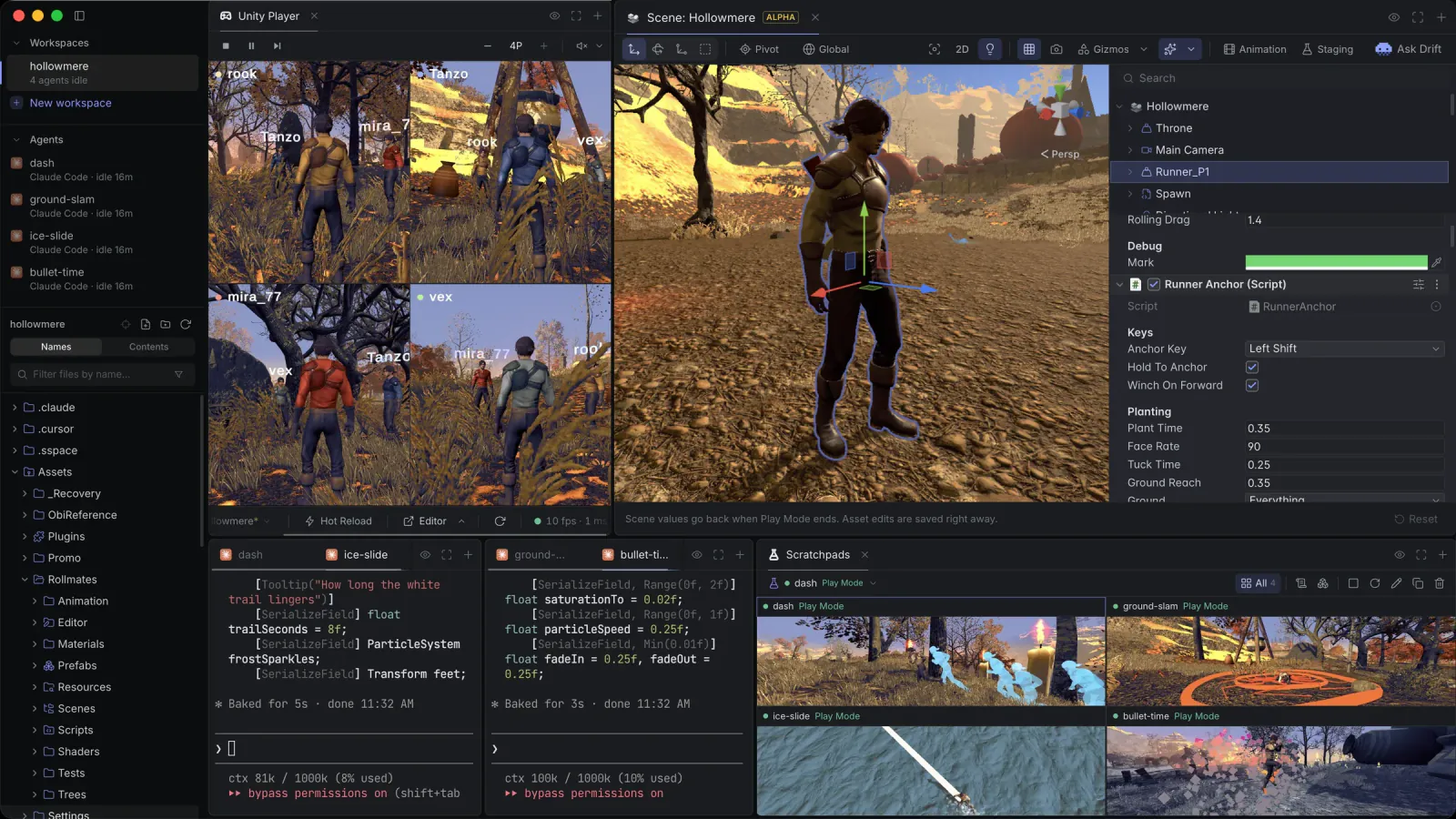
Satura Space is a free, open-source desktop app for macOS on Apple Silicon and Windows x64. It runs coding agents such as Claude Code, Codex and Cursor next to hidden Unity editors that stream into the same window. You play the game while the agents work, without building a player.
Checking what an agent did to a Unity project usually means switching to the editor, pressing Play and clicking through it yourself. In Satura Space the agent presses Play, drives the game through small C# methods, records the run and leaves you a report. When a value needs your eye, it hands you Unity's real Inspector on just that.
Who it's for
Satura Space is for people who build Unity 6 games with coding agents and want to see and play the result as it's built. You keep your own agent CLI and your own AI subscription. The app drives the Unity editor and the agent CLIs on your machine.
What it does
- The hand-off. The agent sets up the moment, then opens a Tuner on what needs your eye: a small Unity editor in a panel with the hierarchy, a scene view, Unity's real Inspector and an animation timeline, in Edit or Play Mode. The rest of the scene goes gray. You tune it by feel, and Copy Changes hands your edits back to the agent.
- Drift. A small pixel jellyfish that shows you around. Ask the agent what something is, or press Ask Drift in a Tuner, and Drift flies the camera to it and points at the field to tweak.
- Staging prefabs. The agent puts one mechanic on a small set of its own and writes its scenarios in C#. Press ▶ in the Tuner to run them. When one fails, you see which check broke and on what line, with a chart of the run and the path it took.
- Scratchpads. Every agent gets its own Unity, so several build at once. Open a Tuner on any of them and tune it live.
- Multiplayer clones. Up to three clones run beside the primary editor, each with its own stream, console and input. They share your Library, so they boot in seconds.
- One tool. Satura Space registers one MCP tool,
satura_exec. The agent writes a few lines of JavaScript, and each line waits until its work is done, like Play starting or a video being saved. - Reports. At the end of a feature the agent leaves a report beside its terminal: each check, the numbers before and after, and the recorded run.
- C# hot reload. Method bodies change in Play Mode without a domain reload.
- Git panel. A Source Control panel ported from VS Code sits beside the running game, and Env Changes keeps your local-only edits out of every commit.
The editors run hidden. Your keyboard and mouse reach the game through the stream, and when you want the real window, you reveal the editor. It's the same process, so nothing relaunches.
What it is not
- Not a model. Satura Space runs the agents you already use: Claude Code, Codex, Cursor, Grok Build, Kimi and opencode, whichever are on your PATH.
- Not a token reseller. Bring your own AI subscription. Satura Space doesn't resell tokens or ask for an API key.
- Not a cloud service. Everything runs on your machine, and you don't need an account. The one exception is Satura Remote, the optional phone app, which connects through a hosted relay once you turn it on. Everything between your phone and your computer is end-to-end encrypted, so the relay can't read it.
Next steps
- Install the app and open a project.
- Check the requirements, especially the Input System one.
- See what changes in your project.
- Read about the supported agents and the Tuner.